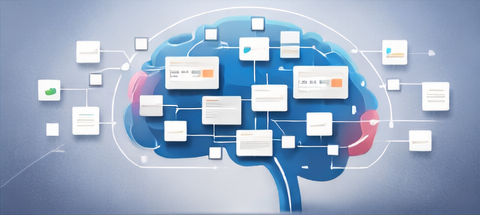

A “second brain” is not a fancy concept. It’s simply a trusted system that captures your tasks, notes, goals, and plans—so your mind can focus on execution.
Contents
The easiest way to build a second brain in Notion is to start with ready-made dashboards and databases and then simplify.
The 4-part second brain foundation
- Capture: a quick inbox for notes, tasks, ideas.
- Organize: projects, areas of life, and categories.
- Execute: daily tasks and weekly priorities.
- Review: weekly reset so the system stays clean.
Where templates help the most
- Dashboards that pull everything into one view
- Task + project systems that are already structured
- Finance/habit/study trackers you can reuse monthly
- Content and business workflows if you create or sell
Build your Second Brain with a ready-to-duplicate bundle
This Notion Ultimate Bundle (142 Templates) covers personal, business, finance, habit, content, and study workflows.
A simple setup that actually sticks (recommended)
- Home Dashboard: Today’s tasks, top priorities, quick links
- Projects: 5–15 active projects max
- Notes Vault: meeting notes, learning notes, ideas
- One Tracker: habits OR expenses OR study progress
FAQ
Do I need complicated relations/rollups?
No. Start simple. Complexity only helps after you build consistency.
How do I stop it becoming messy?
Weekly review: archive finished projects, clear inbox, plan the next week.
Closing
Your second brain doesn’t need to be perfect. It needs to be trusted. Templates accelerate setup—but consistency makes it powerful.